
- Menu
- Desks
- Seating
- Tables
- Customer Service
- 1.888.719.4960
Both mount types do the same fundamental job — get your monitor off the desk surface and into the right position. The difference is how they attach and what that means for your desk setup long term. Here's a practical breakdown.
Quick Verdict
For most desks and most buyers, the clamp mount is the easier, more flexible choice — you can have it installed in minutes without modifying anything. If you're building a permanent workstation and want a cleaner, more integrated look with better cable management, the grommet mount is worth the extra installation step. Check your desk edge first before you order either one.
| Feature / Factor | Clamp Monitor Arm | Grommet Monitor Arm |
|---|---|---|
| Desk Compatibility | Fits most desks with exposed rear edges; check thickness rating | Requires an existing grommet hole or willingness to drill |
| Arm System Weight | 5–20 lbs before monitor load | Similar arm weight; performance depends on monitor load |
| Installation Effort | Simple and reversible — no drilling required | More involved initially; cleaner and very stable once complete |
| Best For | Retrofits, renters, and offices that reconfigure workstations frequently | Permanent builds where a centered, integrated attachment is preferred |
| Main Advantage | Fast installation and easy to move or remove | Very secure mount; keeps the desk rear edge completely unobstructed |
| Main Trade-Off | Visible at the rear edge; arm placement limited to edge zone | Grommet hole remains in the desk permanently |
| Cable Routing | Good with cable management clips and channel guides | Excellent — cables route cleanly through the grommet opening |
| Placement Flexibility | Repositionable along the rear edge without tools | Fixed at the grommet location; moving requires re-drilling or a new desk |
| Visual Profile | Practical and visible from behind the desk | Cleaner and more integrated — less hardware visible |
| Long-Term Value | Excellent for flexibility-first buyers | Excellent when permanence and finish quality are priorities |
Both clamp and grommet monitor arms give you the same freedom of movement once installed — tilt, swivel, height adjustment, and rotation all come from the arm mechanism itself, not from how it's bolted to the desk. Where the mount type matters is the installation experience, the visual result, and how committed you are to a permanent location.
The clamp mount squeezes onto the rear edge of your desk. It's fast — most people have it installed in under 10 minutes without any tools beyond a wrench — and it leaves no marks when removed. The tradeoff is that the hardware is visible from behind the workstation and the arm has to live at the back edge rather than anywhere on the surface.
The grommet mount threads through a hole in the desktop and locks from below. The resulting installation is lower-profile, cleaner looking, and leaves the rear edge completely free. Cables route naturally through the same opening, which helps keep the desk tidy. The tradeoff is that you're making a permanent modification to the desk surface.
If you're adding a monitor arm to an existing desk that's already in place and in use, the clamp mount is the path of least resistance — no disassembly, no drilling, no cleanup. It's also the right call for leased offices, shared workstations, or anywhere you might want to reposition the arm or take it with you when you move. Benching systems and laminate office desks with accessible rear edges are perfect candidates for clamp-mount arms.
One thing to verify before ordering: the thickness of your desk edge. Most clamp arms are rated for a specific range — typically 0.75 to 3.5 inches. If your desk has a thick edge band, a beveled profile, or a full-thickness worksurface edge, check the spec before you buy. A clamp that doesn't fit the edge will wobble or refuse to seat correctly.
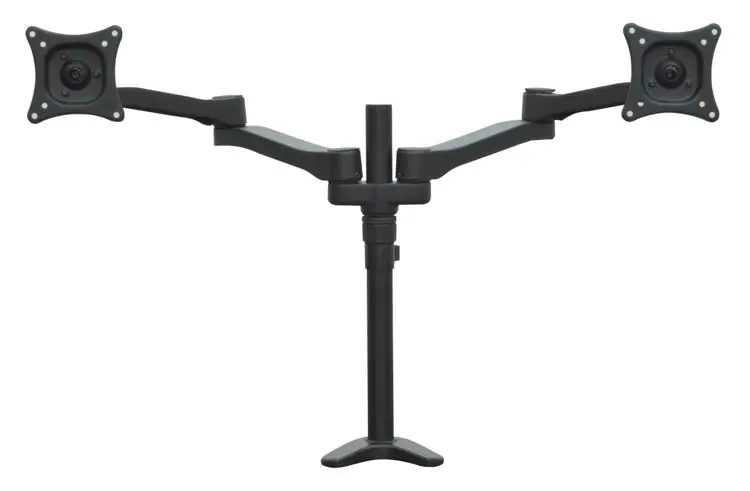
Monitor Arm Clamp Mount Dual by Corp Design
View & OrderIf you're specifying monitor arms as part of a new workstation build — ordering desks and arms together — the grommet mount is the more finished choice. Many laminate office desks include pre-drilled grommet locations specifically for this use, so installation is straightforward. The result is a workstation that looks intentional and polished: no visible hardware at the rear, cables routing through the surface, and the arm positioned exactly where it needs to be.
The grommet mount is also worth the extra step in high-visibility environments — executive offices, conference room setups, reception stations — where the workstation's appearance is part of the professional impression. A clamp-mounted arm in these settings works fine functionally but can look like an afterthought.
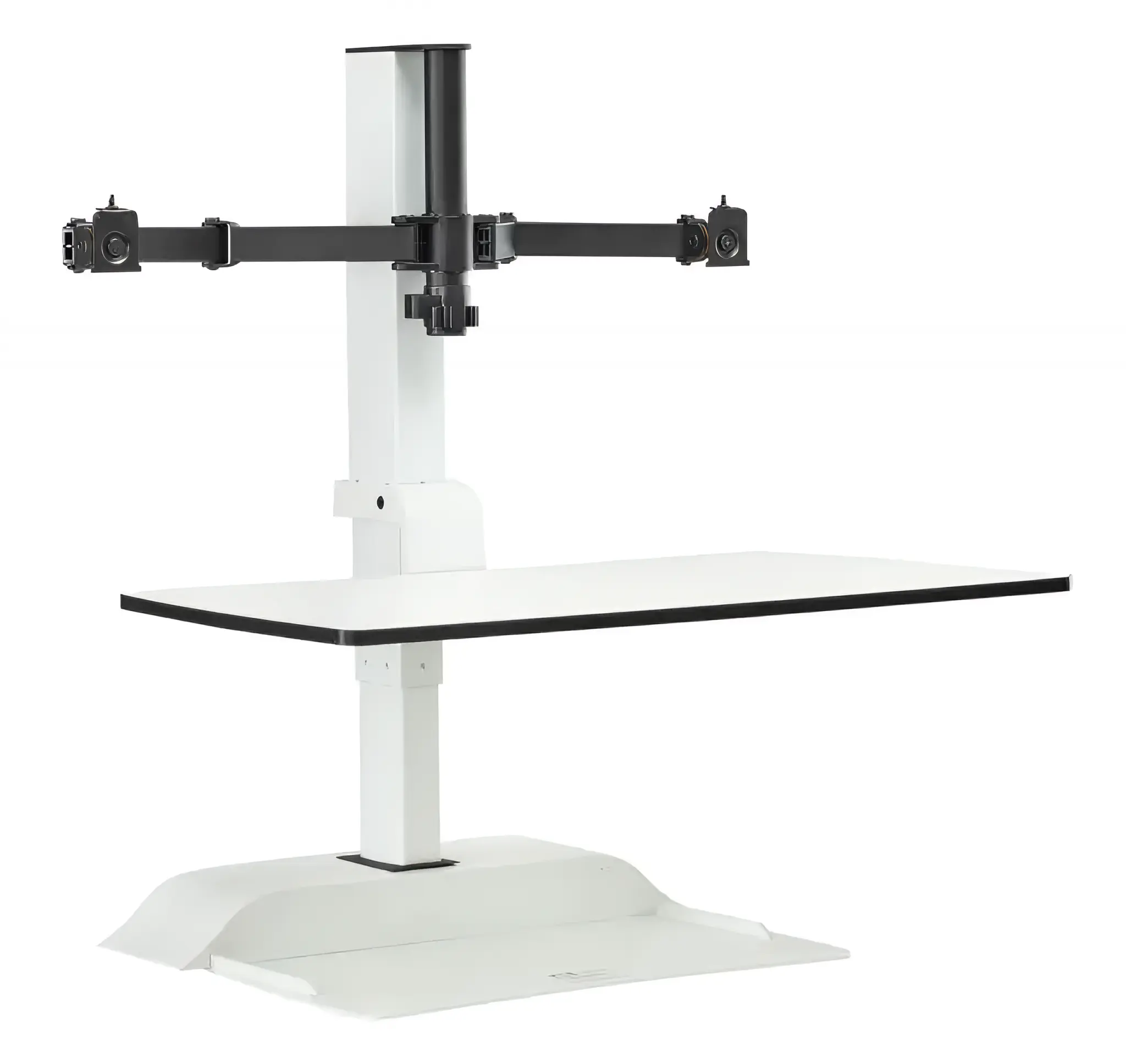
Monitor Arm Grommet Mount by Safco Products
View & OrderClamp mounts need: a clear, accessible rear edge with a compatible thickness, and enough clearance under the desktop for the clamp hardware to seat properly. Most solid laminate desks qualify. Glass-top desks, desks with wraparound edge banding, and some standing desks with thick frame edges may require a specific clamp model or an adapter.
Grommet mounts need: a hole in the desktop, period. Pre-drilled grommet locations are typically 2.5 to 3.5 inches in diameter and are marked in the desk specs. If your desk doesn't have one, you'll need to drill. For laminate desks, this is a straightforward DIY task with a hole saw. For glass tops or stone surfaces, it's a job for a professional fabricator.
If you're ordering a new desk and know you'll be adding monitor arms, call us before you complete the order — we can help you confirm grommet placement options and compatibility so the accessories arrive ready to install.
For most offices and retrofits, the clamp-mount monitor arm is the practical, flexible choice that works on almost any desk without modification. For new builds and permanent workstations where a clean finished look matters, the grommet mount is worth the installation investment. Either way, a monitor arm is one of the best ergonomic upgrades you can make to any desk setup — it frees up surface space, gets your screen at the right height, and gives you the kind of adjustment range a fixed monitor stand never can. Browse accessories at FindOfficeFurniture.com or give us a call and we'll help you match the right arm to your desk.
Shop Accessories at FindOfficeFurniture.comA clamp mount attaches to the rear edge of your desk using a tightening mechanism that grips the desk surface from above and below — no drilling required, and you can remove it without leaving any marks. A grommet mount threads through an existing hole (or a drilled opening) in the desktop and anchors from underneath, creating a more centered, permanent attachment that keeps the back edge completely clear. The right choice depends on your desk's edge profile and whether you want an installation you can undo easily or one that's more integrated.
Most desks don't come with grommet holes pre-drilled, so you'll need to either drill a hole yourself or have it done professionally. Grommet holes are typically 2.5 to 3.5 inches in diameter. Some desks — particularly laminate office desks and workstations — do include pre-drilled grommet locations specifically for cable routing and accessories. If your desk already has a grommet opening, the grommet arm is a clean and straightforward upgrade.
A properly installed clamp mount should not damage a standard laminate desk surface when used as directed. Most clamp arms include a protective pad between the clamp and the desk to prevent marks. The key factor is desk thickness compatibility — clamp arms are rated for specific thickness ranges, typically 0.5 to 4 inches. If your desk has a thick edge band, a curved profile, or a glass top, check the arm's specifications before purchasing.
Clamp mounts are easier to reposition or move entirely — you loosen the clamp, slide the base along the desk edge, and retighten. Moving the arm to a different desk is also simple. Grommet mounts are a more committed installation. You can move the arm, but the grommet hole stays in the desk permanently. For offices that reorganize workstations frequently or share monitor arms between desks, the clamp mount gives you much more operational flexibility.
Mount type does not significantly affect arm performance or range of motion — tilt, swivel, rotation, and height adjustment are all functions of the arm mechanism itself, not how it's anchored to the desk. Where grommet mounts have a minor edge is placement: because the base anchors through the desktop, you can position the arm more centrally on the surface rather than being limited to the rear edge. That can be helpful for dual-monitor setups or when you want the arm to reach farther without maxing out the extension.